Lock an NFT to a place. Your fans go and find it.
Location Drops let you lock an NFT to a real place. Fans can only mint it when they are standing there, and nobody's location ever leaves their device.Lock an NFT to a real place. Fans mint it by showing up.
NFT drops are now live on Base.NFT drops are live on Base.
Onyx Genesis
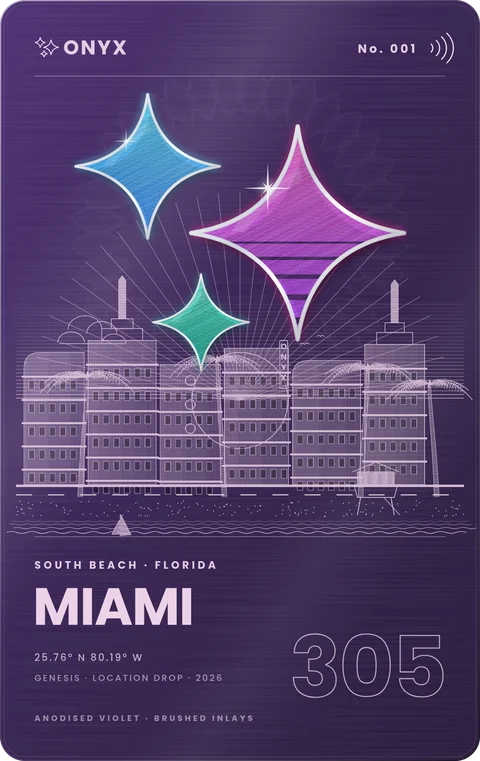
Three collectible cards, hidden at real spots in Miami, Los Angeles and New York. The hunt is on.
How a drop works.
Three steps, with no app to install and no account to create. For an NFT drop, you and your fans also need a crypto wallet.
An example of how a drop works. The fan's location is checked on their own phone and shared with no one.
-
1
You lock it to a spot
Upload your NFT art, pick a place and choose how close people need to be. Your browser locks the drop using that location as the key.
-
2
You send the link
Share the link or its QR card with your people, and add an access code if you want it private. It doesn't say where the spot is unless you do.
-
3
Fans unlock it there
A fan's phone checks its own location. At the spot, they can mint the NFT straight to their wallet. Their location is sent to no one.
The example plays by itself. Tap a step, or drag the fan.
What the link carries
- The key that lets a fan mint
- The title and hint, hidden too if you set an access code
- Nothing that says where the spot is
What never leaves a fan's phone
- Their location
- Where they were before and after
- Whether they tried and missed
What an NFT drop puts on the blockchain
- Each NFT's name, artwork, supply and price
- The creator's wallet, and every wallet that mints
- Never the location of the drop
Make a Location Drop.
Upload your art, set the supply and price, then pin it to a place. Fans can only mint it while they are standing there.
- NFTs minted at your show
- Secret show locations
- Codes at your pop-up
- In-person giveaways
- Meet-up surprises
Your NFT
Drop settings
Publishing happens on Base. You need a wallet with a little ETH on Base for the network fee. Leave the price at 0 for a free mint. Paid mints send ETH to you.
Pick the spot
Use "Where I am now", or turn on the street map
Map data © OpenStreetMap contributors
Street map pictures are off. The map loads nothing from outside this page.
Your drop is ready
Add your art, then pin it to a place.
Drops are never listed anywhere: only people you send the link to can see one, and with an access code they need that too. Drops are made for fun, and someone determined could open one without going there, so don't put anything sensitive in one. Onyx stores nothing: the whole drop lives inside the link. How privacy works here.
My NFT drops
See the drops you made and the NFTs you collected, with links to the blockchain. Only the wallet you connect is shown.
Your drops and the NFTs you collected are read from your wallet. Open this page inside your wallet app to see them.
Open in the MetaMask appTest your location.
Zone Check is the engine behind every drop, on its own. Set a zone, press one button, and see whether this device counts as inside it.
- Making a drop? Stand at your spot and run a check. The accuracy reading tells you how wide to set the zone so your fans can get in.
- Opening a drop? If one won't unlock, test here to see whether your phone knows where it is.
- Your coordinates stay on this device. The check runs in your browser and is not sent to Onyx.
- Nothing is stored. No account, no cookies, no history.
- Receipts contain no coordinates. Only the result, the time and a zone fingerprint.
Pick a quick zone below, or turn on the street map
Map data © OpenStreetMap contributors
Street map pictures are off. The map loads nothing from outside this page.
1. Set the zone
2. Check this device
Place a zone first.
3. Your receipt
A sealed note of the result. It never includes where you are.
- Question
- Device within zone
- Result
- True
- Zone fingerprint
- Checked
- Evidence
- Browser location
- Coordinates included
- None
- Signed by
- This browser
The check runs in your browser. A browser's location can be faked, so this shows the flow and is not yet proof for a third party. How privacy works here.
What you can do with it.
Anything worth more because someone showed up to get it.
-
Shows
An NFT only the crowd can mint.
Release a limited collectible at your show. Fans mint it from the floor, and nobody at home can.
-
Tours
A different collectible in every city.
Make one NFT per stop. Fans end up with a record of the nights they were there.
-
Giveaways
A giveaway you can only enter in person.
Put the entry link inside a drop at your event. Every name in the draw is someone who came.
-
Restaurants and shops
An opening-day offer at your front door.
Lock a free meal or a discount code to your entrance. It opens for people standing there, not for screenshots.
-
Launches
Early access for whoever turns up.
Hide the pre-order link or the first units at your pop-up, and reward the people who made the trip.
-
Communities
Members only, in real life.
Add an access code so nobody outside your group can even see there is a drop.
Prove where it happened. Keep the coordinates private.
That is the idea behind Onyx Protocol. Location Drops is the first working piece of it, and it runs entirely in your browser.
- Live now
- Location Drops, including NFT drops on Base
- Coming next
- Protection against VPNs and fake locations, a signed proof of unlock for wallets, and onchain rewards for the fans who showed up
- Storage
- None. A drop lives inside its own link.
- Stage
- Early preview. Things may change.
Privacy, in plain words.
Location Drops
- A drop is not stored by Onyx. Everything in it travels inside the link the creator shares.
- Drops are not listed anywhere. Only people who are sent the link can see one.
- Without an access code, the title, hint and name can be read by anyone who has the link. With an access code, nothing is readable until the code is typed in. Either way, the secret message opens only on a device at the spot.
- A fan's location is checked on their own device. It is not sent to Onyx or to the person who made the drop.
- Drops are made for fun. Someone determined could open one without going there, so nothing sensitive belongs in a drop.
- NFT drops are the exception to "nothing is stored". Artwork you add is saved publicly and permanently on IPFS, a shared file network, through a storage company called Pinata. Uploads pass through Onyx's own server code, which sees your IP address but keeps nothing. Each design's name, artwork address, supply and price, the creator's wallet, and every mint are recorded on a public blockchain. Making or minting one also loads a wallet code library from cdnjs.cloudflare.com, and the artwork loads from public IPFS gateways. If you connect a wallet through the wallet picker, the connection passes through WalletConnect's relay, which sees your wallet address and IP address but not your location. The drop's location still stays off the record.
- "My NFT drops" reads the drops of whichever wallet you connect, straight from the blockchain. If you hide a drop there, that choice is kept in your own browser on that device and nowhere else.
Maps
- The example map in "How a drop works" is a saved picture of OpenStreetMap, stored on this site, so viewing it contacts no one.
- When you pick a spot for a drop, the map can show street map pictures from OpenStreetMap, which can see your IP address and the area shown. They stay off until you turn them on.
This website
- No cookies, no adverts and no tracking scripts.
- As with any website, the services that deliver the pages and fonts (Netlify and Google Fonts) receive your IP address when the page loads.